
TAKEBOARD / PRACTICAL GUIDE
Start creating on the canvas.
Create a project, connect a compatible workflow, generate an image or video, and use the result in your next step. Start with a ComfyUI setup that already works for you.
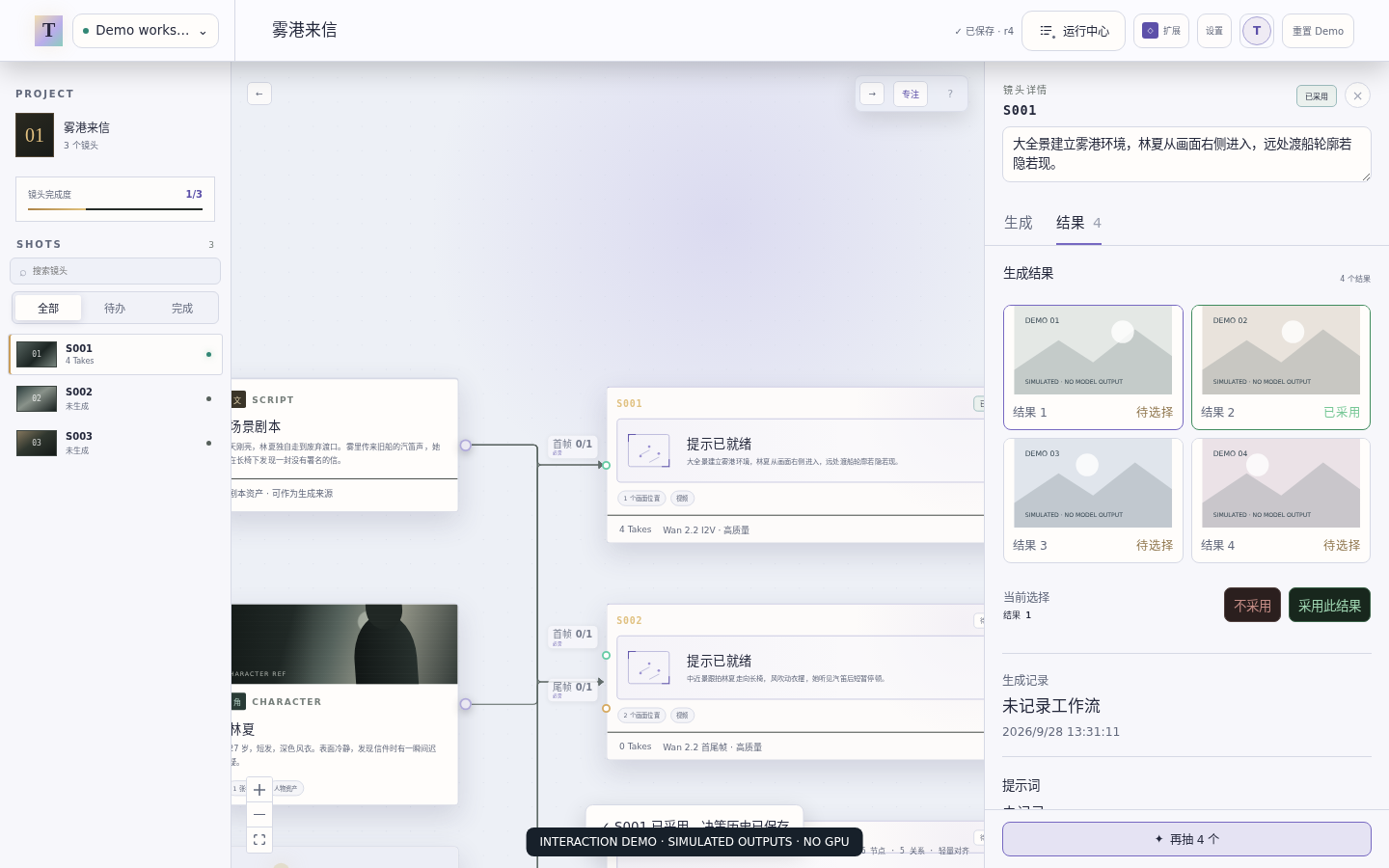
Development screenshots use simulated results, not model output. Choose an installer below to get the current beta.
01
Create a project and connect ComfyUI.
Create a project and choose its save folder. Add reference media if your task needs it. In Settings, connect your local or remote ComfyUI. Without one, you can still explore the canvas and asset library; generation needs a configured service.
02
Choose a task and workflow.
Choose whether to make an image or a video. Add a recommended template that matches your installed models, or import a workflow you already use in ComfyUI. Once TakeBoard reports it usable, choose it for your shot and connect the reference media it accepts. Text-only generation needs no image input.
03
Generate and choose a result.
Create a shot, choose the generation type and an available workflow, connect its required media and write a prompt. Adjust dimensions and, for video, duration, then submit. Review the result on the canvas or in shot details. Try another version if you want to explore a different direction.
04
Use the result in your next step.
Keep the version you want or add several results to the canvas. Connect an image to a compatible image-to-video workflow, or use a result as a reference for another task. Each generation is submitted separately. You can return to earlier attempts and their settings, or download original media for other tools.
Before your first real generation
- The workflow runs in ComfyUI itself.
- TakeBoard reports it usable and shows the intended inputs.
- The final width, height and—only for video—duration match your plan.
- The selected device and project save location are the ones you intended.
- Start with one small test; inspect the actual output before scaling up.
If the first step does not work
The app will not open
Read the platform installation guidance. This preview is unsigned/notarization-pending; do not disable system protections globally.
The imported workflow cannot generate
Import success is not execution support. Check missing nodes/models, input bindings and workflow trust. Use ComfyUI's own editor for graph changes.
The output ignores a reference
Confirm that the workflow and model support that input, that the intended asset is connected, and that the saved attempt records it. More prompt text cannot add a capability the model lacks.
Tell us the first blocked step.
App version, operating system, what you tried and what happened are enough. A public workflow link helps. Do not attach private media, credentials or unreviewed logs; where you found TakeBoard is optional.
Send first-session feedback